
Run Heroku Scheduler jobs with confidence
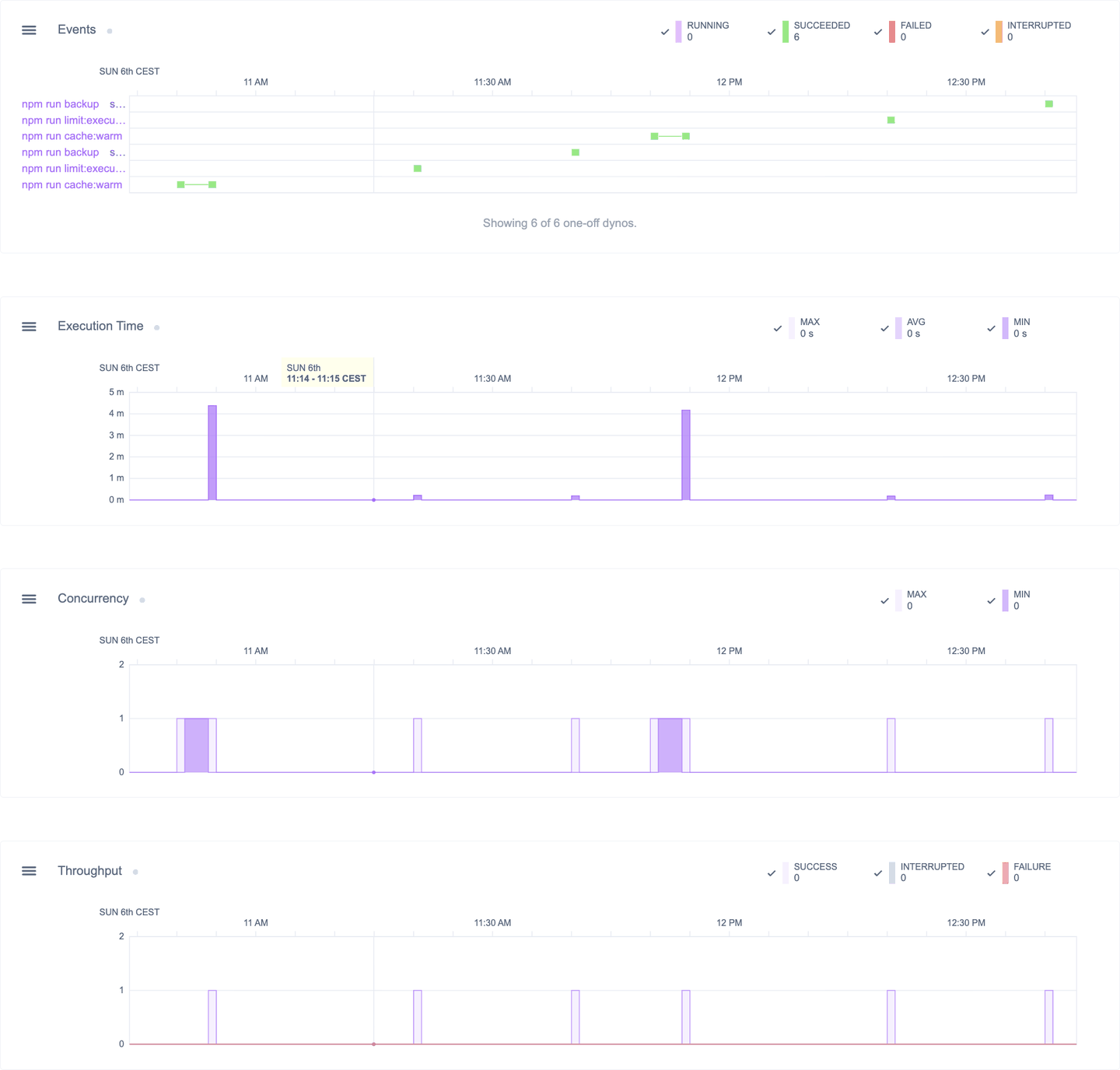
Scheduler Monitor gives you full visibility into the jobs Heroku Scheduler runs for you: lifecycle events, execution time, throughput, and concurrency, with alerts on each. It picks everything up automatically, no configuration needed.
Notification alerts
Set up alerts for failed, interrupted, overlapping, or long-running jobs, so you’re notified right away and can take appropriate action.
Skip detection
Heroku Scheduler can skip your daily scheduled job. Scheduler Monitor detects this, and lets you know it happened.
Concurrency monitoring
Hitting Heroku's concurrent one-off dyno limits blocks a scheduled job from running. Avoid this by keeping an eye on your job concurrency.
Execution history
Execution data is retained for up to 7 days, and searchable within the Scheduler Monitor dashboard.
Execution time
Heroku Scheduler works best with short-running jobs. Use Scheduler Monitor to identify long-running jobs that need a rework.
Interrupted jobs
Heroku kills a scheduled job that runs past its own interval. Scheduler Monitor tells you which jobs are being cut short, and how often.
One-off dyno lifecycle events
Understand the behavior and performance of the one-off dynos that run your Heroku Scheduler jobs.
Metrics dashboard
Use the automatically gathered metrics to investigate and diagnose issues with your scheduled jobs.
One-click setup
Install the add-on and you have immediate insight into your scheduled jobs. Nothing to deploy, and nothing to maintain.
Heroku Scheduler runs your jobs. Scheduler Monitor watches them.
Keep the scheduler you already use, and the jobs you already wrote. Add observability.

What Heroku Scheduler gives you
Reliable, free, and deliberately minimal. It is a scheduler, not a monitor.

What Scheduler Monitor adds
See what actually happened, run by run
Job metrics are available out-of-the-box on the Scheduler Monitor dashboard.
Get more out of Heroku Scheduler
Install the add-on and start seeing data the moment Heroku Scheduler runs your next scheduled job.
Install from ElementsExplore Pricing